
Join 1,000+ teams getting more done with less effort






Features
Everything your team needs to stay on track
Organize projects and track progress with tools designed for fast-moving teams.
Urgent Tasks today (2)
Run Facebook Ads
Create assets for website
Do it now
Do it later
See deadlines before they become problems
Track how work is moving over time and spot delays early. AI helps you adjust timelines before things slip—not after.
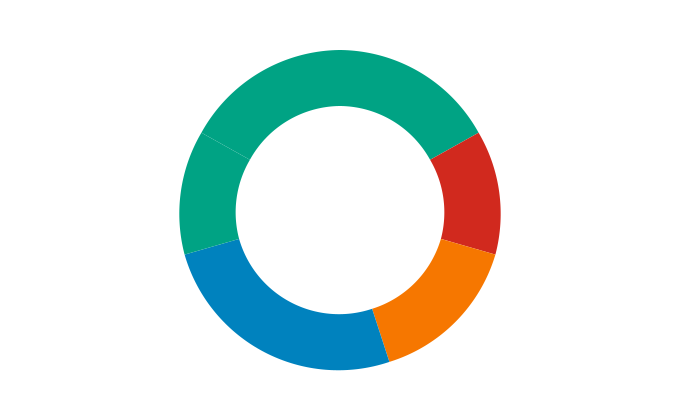
Completed
In Progress
Not Started
Scheduled
Know exactly where things stand
Get a real-time breakdown of completed, in-progress, and at-risk work. AI turns raw data into insights you can actually act on.
Dashboard
My Tasks
12
Projects
8
Calendar
Messages
3
Everything in its right place
A clean, structured workspace that keeps your team aligned. Jump between projects, tasks, and updates without losing context.
EXPORT PDF
Export Reports
Download a PDF to review your performance across all lists in one place
Benefits
Less busywork, more impact
Focus on meaningful work while your projects stay organized, aligned.


How it works
From Ideas to action, automatically
Let AI organize, prioritize, and track your projects, so your team hit milestones faster.
Wall of Love
Projects don’t wait, neither do our users
Hear from real teams about how AI keeps their work moving and deadlines met.






pricing
Pick a plan, get things done
From one-person projects to multi-team workflows, our pricing grows as your productivity does.
Starter
$49
/month
Perfect for small teams getting started
Whats Included
Up to 5 workflows
10K runs per month
Basic analytics
Email support
Single team member
Standard Plan
Popular
$79
/month
Perfect for small teams getting started
Whats Included
Unlimited workflows
500K runs per month
Advanced analytics & insights
Priority support
Up to 10 team members
Custom integrations
Premium Plan
$149
/month
Perfect for Established teams
Whats Included
Unlimited workflows
2M runs per month
Advanced automation & conditional logic
Dedicated onboarding support
Up to 25 team members
Advanced security controls
Frequent queries explained
Quick answers to help you get the most out of LumiFlow
blog